PART ONE: Introductions
The purpose of this course is to help you to explore the tools that can support teaching and learning in a P-12 classroom. As you learn about these tools you will focus on the educational processes that these tools support -- not the technical skills that you acquire. In other words, this is not a course about learning computer skills in isolation; it is a course that will encourage you to find appropriate uses for technological tools in the P-12 classroom.
In order to find and document these appropriate uses of technology, you will work independently, in partners, and in groups to prepare educational activities for specific curriculum topics. You will play the role of a classroom teacher and use your content knowledge, understanding of teaching and learning strategies, and your technology skills to develop real applications for the various tools explored during the semester. Your final product will be a web-based set of activities to teach specific curriculum objectives.
The instructors for the 8:00 class are Craig Shepherd and Gretchen Thomas. The course website will give you all of the background information you need. The syllabus will give you specifics on what to expect during the semester.
PART TWO: Setting up your materials
The only materials you'll need for this course are a key drive and a 3-ring binder to keep track of handouts. We use Macintosh and Windows computers in this lab -- so you'll need to become familiar with both operating systems. If, for example, you are really familiar with Windows machines - you should be sitting at a Mac during our class.
Once you have located a computer, use the handouts provided to create a file structure on your key drive and save a Word file on it with your contact information (in case you leave it in the lab or lose it!)
PART THREE: The Learning and Teaching Puzzle
Harrison County High School in Gulfport, Mississippi is a wonderful example of students and teachers using technology tools for learning. If that's not enough, see how Mary Scroggs Elementary School in Chapel Hill, North Carolina integrates technology to help younger children learn.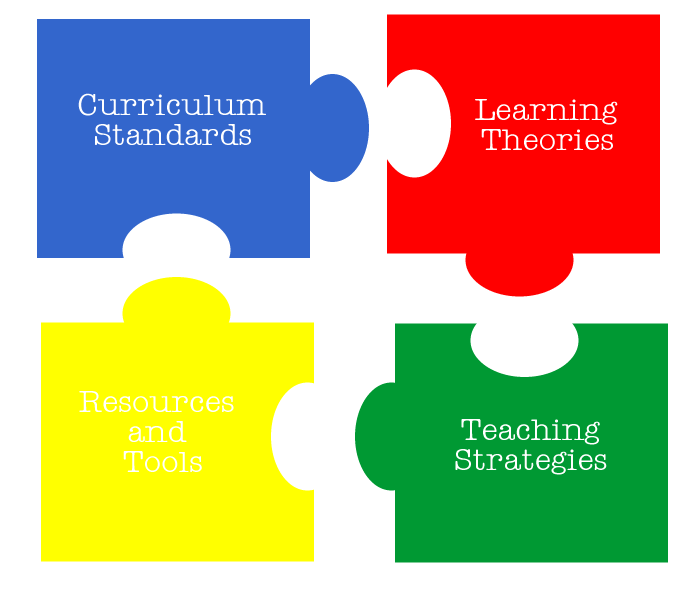
Our goal for this semester is to begin putting together the puzzle pieces that make up the learning and teaching process -- with a focus on tools and resources.
 How do educators know what to teach? How do they know what students should learn? Every state has standards and every content area has national standards. There are even standards for technology integration. Georgia is transitioning from Quality Core Curriculum Standards (QCC) to the Georgia Performance Standards. You can even watch a video about the Georgia Performance Standards. You'll also want to be familiar with the ISTE standards for technology integration -- this class, and your course projects, are based on those standards. Select a grade level and subject area that will be the focus of your projects this semester. You'll need to print a copy of these standards and place them in your 3-ring binder for reference purposees this semester.
 How do educators know how to meet the needs of the specific learners with which they are working? Are their different types of learners? Does everyone understand subject matter in the same way? How can teachers identify the different types of learners in their classrooms? Take this online quiz to determine your learning style. Find two other classmates who have similar learning styles. Find one learning/study habit that you have in common and be ready to share it with the class.
Here are more resources on learning styles.
Learning Styles Explained
Learning Styles Chart
Learning Styles Self-Assessment
Multiple Intelligence Inventory
But understanding learning styles is just one part of this puzzle piece. Understanding the various learning theories is important to be able to prepare an appropriate learning environment for your students. Read more about learning theories here. How do educators know how to teach? What strategies are used to address certain learning styles? How does learning theory impact teaching strategies? Is lecturing about your subject matter all that is necessary? View descriptions of various teaching strategies here and here. Find two that would suit your learning style. Find at least one classmate who has chosen a similar teaching strategy -- do you have the same learning style?
 How do educators pull everything together? What tools and resources do they use to prepare a supportive learning environment? Our main focus for this semester is identifying technology-related tools and resources that support varied student learning styles and teaching strategies.
PART FOUR: Preparation for Friday's class
- Sign up for a gmail account before you leave - if you've not already done so.
- Leave your student information sheet with us when you leave.
- Review the syllabus. We'll answer any questions during tomorrow's class.
- Read the articles on teaching, learning, and technology provided in class today.
- Print a copy of the curriculum standards for your chosen subject/grade level.
- Save 3-5 digital images onto your key drive. These will be used on your biography page.
- Prepare a professional resume. Bring a printed copy to class tomorrow. Save a copy to the assignments folder on your key drive. You'll want everything to look professional, so use a resume template . Please remember that your resume must include:
- Career Objective
- Grade Level and Subject Area you want to teach (if an education major)
- Education
- Work Experience
- Honors and Awards
- Computer Skills/Special Skills
- Personal Interests
- Professional References
posted by EDIT 2000 - Maymester @ 8:00 AM


<< Home